The idea
A trip often ends with a folder full of photos and clips, but a watchable story takes more than putting every file on a timeline. Similar moments compete for attention, formats differ, and the useful part of a clip may be only a few seconds long.
AI Video Editor is my personal project for turning that collection into a short, reviewable video. It combines media analysis with explicit editorial choices, keeping source files and rendered outputs under the user’s control.
The workflow
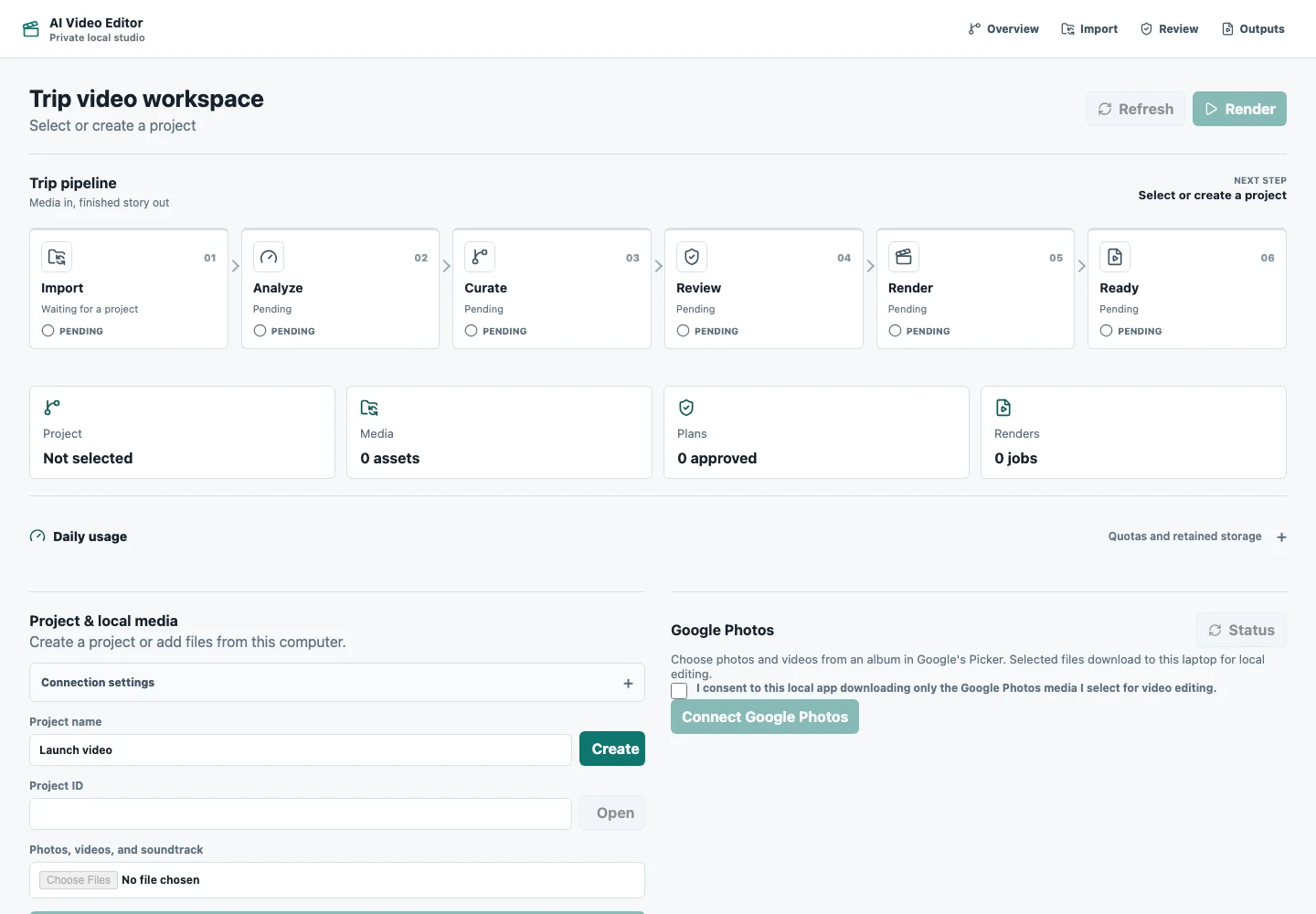
The interface follows six stages: Import → Analyze → Curate → Review → Render → Ready. Local files are the primary path. A Google Photos Picker integration is also present in the project.
Analysis provides technical quality signals and conservative duplicate grouping. Optional local visual analysis adds scene evidence. Curation assigns story beats and prepares landscape and vertical plans. The user can review selections, pin or exclude moments, adjust ordering and trims, and approve the plan before rendering.
The screenshot shows the actual application before a project is selected. It deliberately contains no private travel media and does not imply that a render is in progress.
Behind the build
The build spans the React review interface, a Python project API, shared timeline structures, and an isolated rendering worker. The API maintains project state and edit decisions; Redis and RQ carry render jobs; FFmpeg performs the media assembly.
This separation gives the interface a durable view of progress while heavier processing happens outside the request that started it. The worker checks that sources belong to the project and are staged and scanned before rendering approved plans.
Engineering decisions
Local analysis is the default. Optional Ollama-based visual analysis is distinct from the simpler quality heuristics. A quality score alone is not a claim that the system understands a memory or can always choose the best moment.
Review comes before rendering. Selection changes invalidate earlier approvals, so a changed plan must be reviewed again. This keeps the user in control of a creative result.
Audio has an explicit policy. The code supports user-provided soundtracks, original locally generated score presets, manual selection, and no soundtrack. This avoids making a cloud music service a requirement for the workflow.
Current state and next steps
The repository documents a working local-file baseline from upload through review, rendering, preview, and download. This portfolio pass checked the interface and implementation structure; it did not repeat the source project’s full rendering acceptance suite.
Remaining work includes broader phone/HDR coverage, multi-frame video semantics, larger-album benchmarks, stronger resume/cancel behavior, and more listening and portrait-fixture review. The project is presented as an ongoing local application, with no public live demo or production-scale claims.